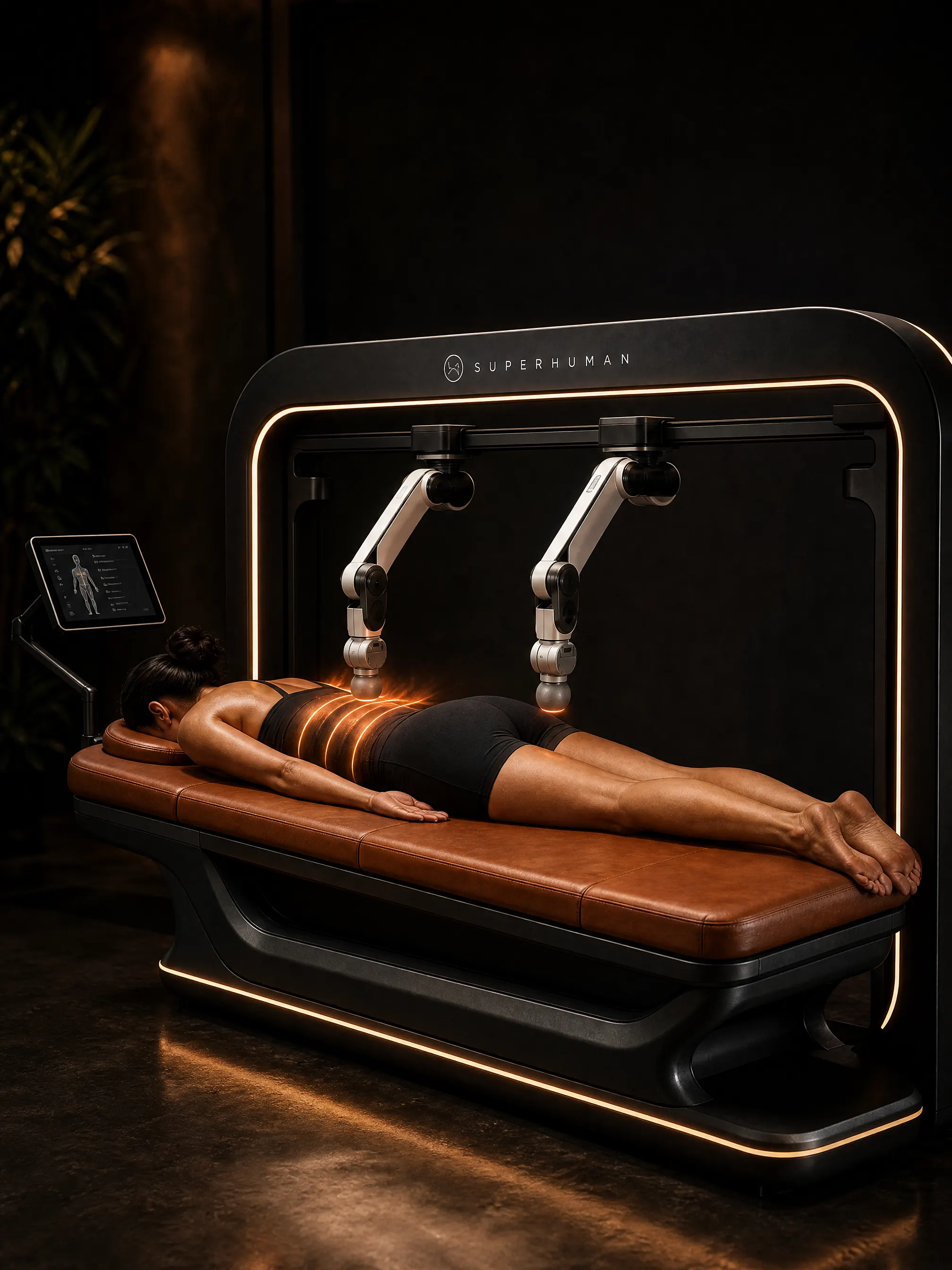
A massage robot works in four steps: it scans the guest’s body, plans a path for its arms, presses with a measured force that never goes past a set limit, and adjusts in real time based on sensors and the guest’s own controls. Software ties it all together, and updates improve routines over time. This guide walks through each step in plain language, using the Superhuman Touch T1 as the example.
If you are new to the category, start with what is a massage robot.
The main parts
Before the steps, it helps to know the parts:
- Table. A padded massage table the guest lies on, clothed in fitted athletic wear.
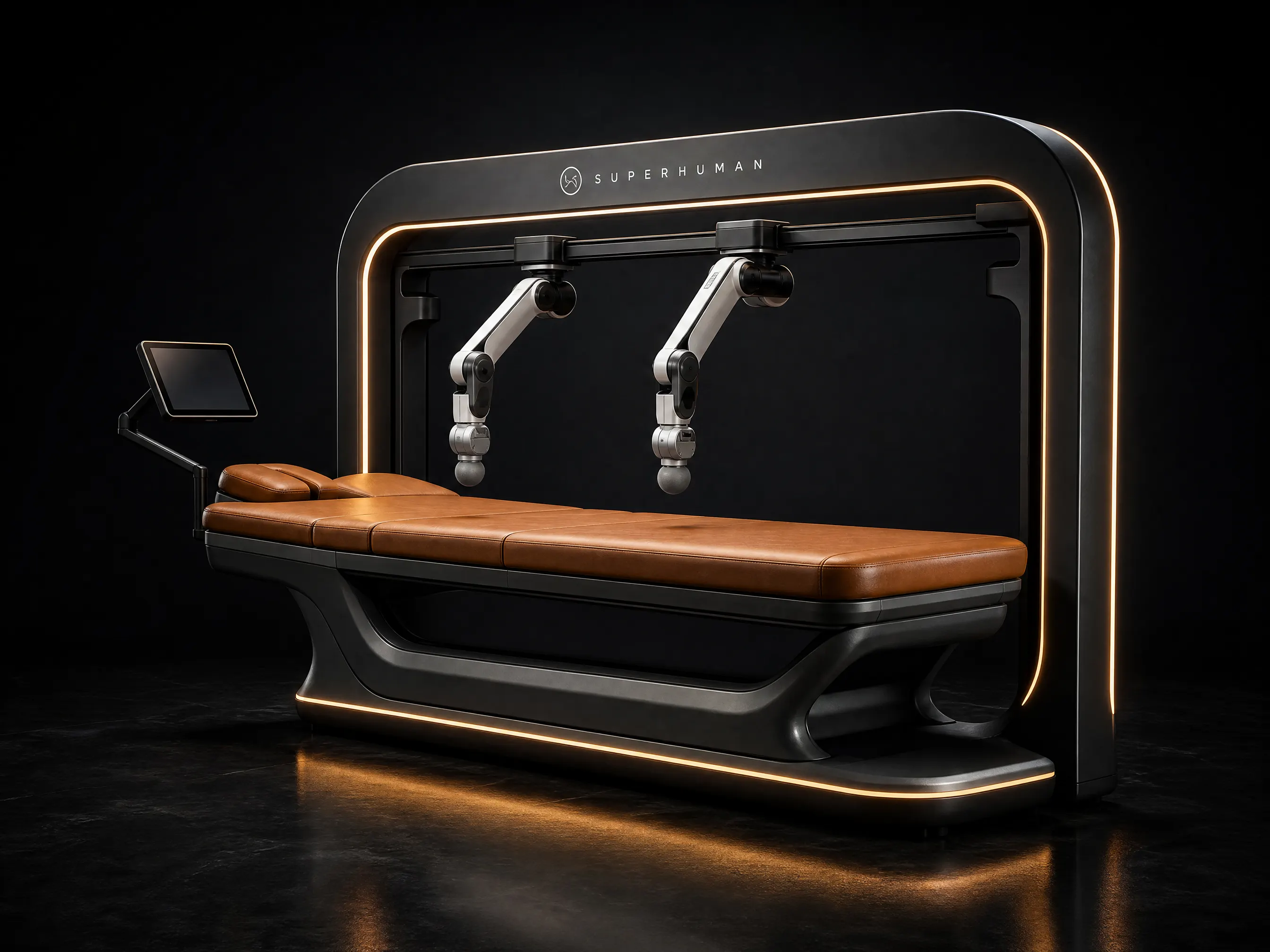
- Arms. Two articulated robotic arms on a rail frame over the table. Each arm has several joints, so it can reach and angle like a human arm.
- End effectors. The soft, padded tools at the end of each arm. They are what the guest feels.
- Sensors. Depth cameras for the body scan, plus force sensors in the arms.
- Controls. A guest touchscreen, a pressure control, voice prompts and a stop button within reach. Staff use an operator dashboard.
- Software. Routines, motion planning, safety rules and connectivity for updates and monitoring.
Step 1: The body scan
Every body is different. Height, shoulder width, spine curve and muscle shape all change where a massage should go.
Before each session, the robot runs a 3D body scan. Depth cameras capture the shape of the guest lying on the table and build a digital model of their back, shoulders, neck, glutes and legs. This takes a short moment and the guest does not need to do anything except lie still.
The scan answers practical questions for the software:
- Where is the spine, and where are the shoulder blades?
- How long is the back, and how wide are the shoulders?
- Where do the legs start and end?
- What is the surface height at each point?
Because the scan runs every session, the routine fits the person who is on the table today, not an average body.
Step 2: Motion planning
Next, the software turns a routine into a path for each arm. A routine is a sequence of movements, such as long strokes along the back, circles on the shoulders, or slow pressure on the glutes.
Motion planning does three things:
- Fits the routine to the scan. A stroke “along the back” becomes a specific path that follows this guest’s spine and muscles.
- Coordinates the two arms. The arms work together, often on both sides of the body, without getting in each other’s way.
- Sets speed and timing. Each movement has a speed and length so the whole session lands on time, for example in 30 or 60 minutes.
The plan is not frozen. The robot keeps checking sensor data during the session and adjusts the path if the guest moves or breathes deeply.
Step 3: Force sensing and force limits
This is the part that makes a robot feel like a massage and not a machine pushing on you.
Force sensing. Sensors in the arms measure how hard the end effector is pressing, many times per second. The software compares that number to the target pressure and adjusts the arm to stay close to it. If the guest’s body is softer in one place and firmer in another, the arm responds so the pressure feels even.
Pressure set by the guest. On the T1, the guest chooses the pressure on a touchscreen and can change it at any time. The robot works inside that range.
Force limits. Separate from the target, there is a hard cap on how much force the arm can apply. The software will not exceed it, no matter what the routine or the guest’s setting says. This is one of several safety layers.
Collision detection. If the arm meets unexpected resistance, such as the guest suddenly sitting up or raising an arm, the robot detects it and stops or backs away.
Read more in our massage robot safety guide.
Superhuman Touch T1
A full-body massage that never calls in sick.
- Arms
- 2 robotic arms
- Session
- 30–60 min
- Guest
- Stays clothed
- Power
- 120/240 V · 20 A
Step 4: The session itself
From the guest’s side, a session is simple:
- Staff check the guest in and start the session from the operator dashboard.
- The guest lies on the table in fitted athletic wear.
- The robot runs the body scan.
- Voice prompts explain what will happen.
- The arms start the routine at a gentle pressure, and the guest adjusts it on the touchscreen.
- The guest can pause or stop at any time using the stop button within reach.
- At the end, the arms return to their rest position and the guest gets up.
No therapist needs to be in the room. Staff stay on call and clean the table between guests. Plan on about one guest per hour including changeover.
Routines: what the robot can do
A routine is like a playlist of movements. The T1 has programmable routines for:
- Back
- Shoulders
- Neck
- Glutes
- Legs
Operators can offer full-body sessions or focused ones, and choose lengths from 30 to 60 minutes. Many systems save guest preferences, so a returning guest’s next session starts with their usual pressure and routine.
What routines cannot do is judge. A robot follows its program within its sensors and limits. It does not assess an injury, notice a guest’s mood or change approach the way a skilled therapist can. That is why robots suit consistent, repeatable sessions, and why therapists remain the right choice for complex needs. See massage robot vs massage therapist.
Massage robot vs massage chair mechanics
Massage chairs work on a different principle. Rollers move up and down a fixed track inside the seat back, and airbags inflate and deflate around the arms, legs and hips. Some chairs detect body height to set the roller range.
| Massage robot | Massage chair | |
|---|---|---|
| Moving parts | Articulated arms with several joints | Rollers on a track, airbags |
| Body fit | Full 3D scan each session | Basic height detection on many models |
| Pressure | Measured by force sensors, set by guest, capped by limits | Preset intensity levels |
| Path | Planned per guest, adjusts in real time | Fixed by the track |
The full comparison is in massage robot vs massage chair.
Software updates and remote monitoring
A massage robot is as much software as hardware. The T1 connects over Wi-Fi or Ethernet. That connection does three jobs:
- Software updates. New routines, better motion planning and fixes are delivered remotely. The machine you buy can improve after install.
- Remote monitoring. The machine reports its status, so problems can be spotted and often fixed before a guest notices.
- Booking and support. The robot can connect to booking systems, and remote support can see what the machine sees when staff call for help.
Remote monitoring and software updates are included with the T1, along with a 2-year parts and labour warranty. See service and warranty.
What the robot needs to run
- Power. A dedicated 120 V or 240 V circuit on a 20 A breaker. Electricity costs about $40 to $80 a month.
- Space. A 2.4 x 1.6 m footprint in a private, quiet room of about 3.0 x 2.6 m.
- Network. Wi-Fi or Ethernet.
- Staff. Someone to check guests in, start sessions, clean between guests and stay on call. One day of training is included.
Next steps
See the full specs on the T1 product page, read about what a massage robot costs, or contact us with technical questions.